This repository is meant for anything related to the SDK that is worth documenting, archiving and sharing.
The root folder acts as an Obsidian vault and is structured to being able to open it directly via Obsidian.
Use git-lfs for large files like images or pdfs.
Setup
TL;DR
git clone https://EFSCIS@dev.azure.com/EFSCIS/EFS-SDK/_git/docscd docs
./.scripts/setup-vault.shClone the repository
IMPORTANT
DevOps support for git-lfs works only with HTTPS.
git clone https://EFSCIS@dev.azure.com/EFSCIS/EFS-SDK/_git/docsInstall and initialize Git LFS
git lfs install --local # or globally
git lfs pull # pull all files
Setup Obsidian vault
./scripts/obsidian-sync-to-default.shUsage
Git LFS usage
Track new file types (e.g. PDFs):
git lfs track "*.pdf"
git add .gitattributes
git commit -m "Track PDF files with LFS"
List all tracked LFS files:
git lfs ls-filesUsing as Obsidian Vault
Open Obsidian → Manage vaults → Open folder as vault → point to this repository.
manage vaults

open folder as vault → point to this repository
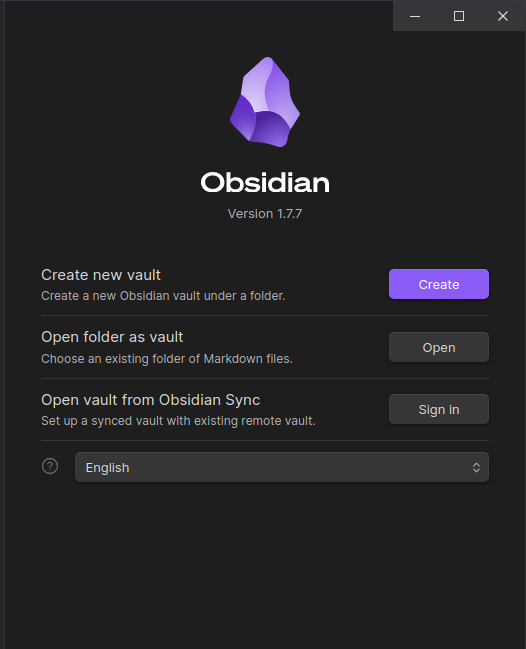
All shared plugins and core configurations will be applied automatically.
NOTE
For
dataview-queriesto work in Quartz deployment, serialize each query with thedataview-serializerplugin.
Repository structure
.
├── .obsidian/             # Local user-specific vault settings (ignored)
├── .obsidian.default/     # Tracked default Obsidian settings
├── .scripts/
│   ├── obsidian-sync-to-default.sh
│   └── obsidian-sync-from-default.sh
├── assets/
│   └── (images, diagrams, docs, etc.)
└── README.md
Managing Obsidian settings
The vault uses .obsidian.default/ as the shared default configuration.
Your personal .obsidian/ is ignored in Git, so your workspace layout, theme, and UI tweaks stay local.
Two helper scripts are provided:
Sync local settings to shared defaults
./.scripts/obsidian-sync-to-default.shCopies selected files from your current .obsidian/ folder (e.g. app.json, appearance.json, workspace.json) into .obsidian.default/.
Use this when you want to update the repository defaults for everyone.
Restore shared defaults into your local vault
./.scripts/obsidian-sync-from-default.shCopies files from .obsidian.default/ into your local .obsidian/ (only if missing).
Use this when you set up a new clone or want to reset your vault to the defaults.
Resetting local vault settings
Useful Git commands
List all ignored files:
git status --ignoredCheck which rule ignores a file:
git check-ignore -v .obsidian/workspace.jsonRemove accidentally tracked local config:
git rm --cached .obsidian/workspace.json
git commit -m "Stop tracking workspace.json"
Show tracked files inside .obsidian.default:
git ls-files .obsidian.defaultMaintenance tips
- Never commit
.obsidian/app.json,appearance.json, orworkspace.json. - Update
.obsidian.default/whenever you want to share improved default settings. - Run the sync scripts after major plugin or layout changes.
- To completely reset your local vault settings:
rm -rf .obsidian
git checkout .obsidian
./.scripts/obsidian-sync-from-default.sh
SUMMARY
- Shared defaults live in
.obsidian.default/. - Personal configs stay local in
.obsidian/. - Use the provided scripts to sync between them safely.
- Git LFS handles large files automatically.